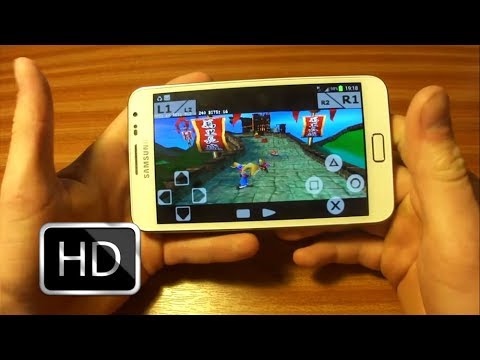
How to Play PSP Games on Android

Lunch bro, This time I want to share how to play psp games on android . To be able to play PSP games on android emulator psp that is required is that PPSSPP...

How to Play;
1. Download the first PSP emulator for android here 
2. Install the PSP emulator have you downloaded earlier.
3. Then save the PSP game ISO files to your SD Card , for example, you put it in " sdcard / PSP ".
4. Run " PPSSPP " already you install.
5. You're looking for a game that is already iso file you saved in sdcard / PSP.
screenshoot

https://blogger.googleusercontent.com/img/b/R29vZ2xl/AVvXsEisL7ikbOr6KMq3Hkx57SIvH8rJ2ZXUDC8ShDXRmI3ooD_MDIfFuCwnqXSgAXOPg5bhzyQ1U88Gd-dhFXQPKX1UGFVpDgPoJi-NzgU1h1rgRkLTw5o9-5zDfhKOkM-ORF3njVsPq9ksgKc/s1600/Naruto+Shippuden+Kizuna+Drive.JPG http://chandra95.mywapblog.com/files/screenshot-2013-11-07-13.jpg
Untuk emulatornya download 

Untuk ROM ISO sizenya kecil-kecil bisa download disini
Part 1 | Part 2 | Part 3

How to Play games PS1 on Android

Okay before already share a way to play games PS1 on Android, apropos of yesterday there is the disadvantage this time share the latest version guarantee easy and simple ... In addition to this much better support for all HP ataoupun android tablet ... Anyway the recomeded bro...


How to install? emulator PS1 on android;
1. Download emulatornya here download bios here
2. Next intsall-once completed
3. go to application Run-click automated scan already and later editor and game
definitely need a PS1 ROMS or isonya ...
for isonya can I download here Complete

screenshoot

Play Games Tekken 3 on Android

Excess emulator ePSXe
1. There is an automatic cheat .. support for all games
2. Could be in play in the Multi Players-use the joystick
3. no need to elaborate settings
4. no error

Support : Your Link | Your Link | Your Link
Copyright © 2013. corepackgames.blogspot.com - All Rights Reserved
Template Created by Creating Website Published by Mas Template
Proudly powered by Blogger